Front Matter
Content before your chapters: title page, copyright page, dedication page, Foreword, Preface, etc.
- Does not appear in table of contents
- Can use Roman numerals in print (configure in Page Layout Rules)
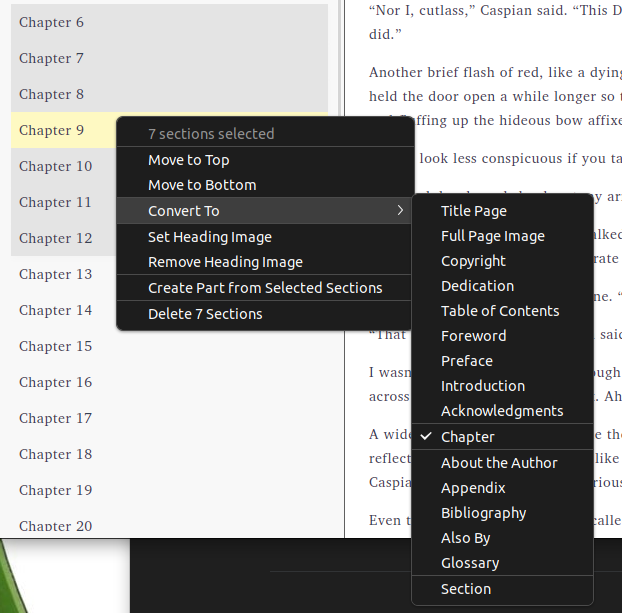
After importing your manuscript, Lacuna automatically creates sections based on your document’s headings and assigns section types where it can detect them. To add new sections, arrange sections, or manage book sections after import, use the project sidebar.
Section types control how your book is formatted and generated. Assigning the correct type ensures proper styling, table of contents inclusion, and page numbering.
Front Matter
Content before your chapters: title page, copyright page, dedication page, Foreword, Preface, etc.
Chapters
Your book’s main content. Chapters automatically receive drop caps, indentation, and heading styles based on your selected style. These can be customized or turned off in Edit Styles.
Back Matter
Content after your chapters: Appendix, Glossary, About the Author, Bibliography, Also By, Index.
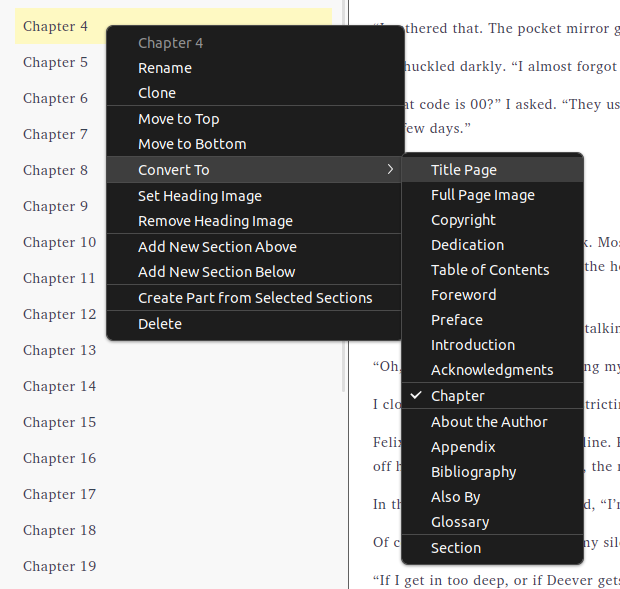
Right-click any section to change its type and unlock automatic style formatting. To show different sections in EPUB vs print (e.g., different ISBNs on each copyright page), use device-specific sections.
Right-click any section in your sidebar:
Select multiple sections using Ctrl+click or Shift+click, then right-click: