How to Use Chapter Section Types
All chapters automatically receive professional book formatting.
Main Features
- Automatic drop caps: Professional opening paragraphs
- Indentation: Proper paragraph indentation throughout
- Smart numbering: Numbered chapters renumber when rearranged
Numbered vs Unnumbered Chapters
- Numbered chapters: Include sequential titles like “Chapter 1,” “Chapter I,” or “One.” Auto-renumber when rearranged. Customize the format and typography in numbered chapter settings.
- Unnumbered chapters: No automatic numbering. Use for content like appendixes or when you need manual control over titles. Style title typography in section titles.
Set Chapter Titles and Subtitles
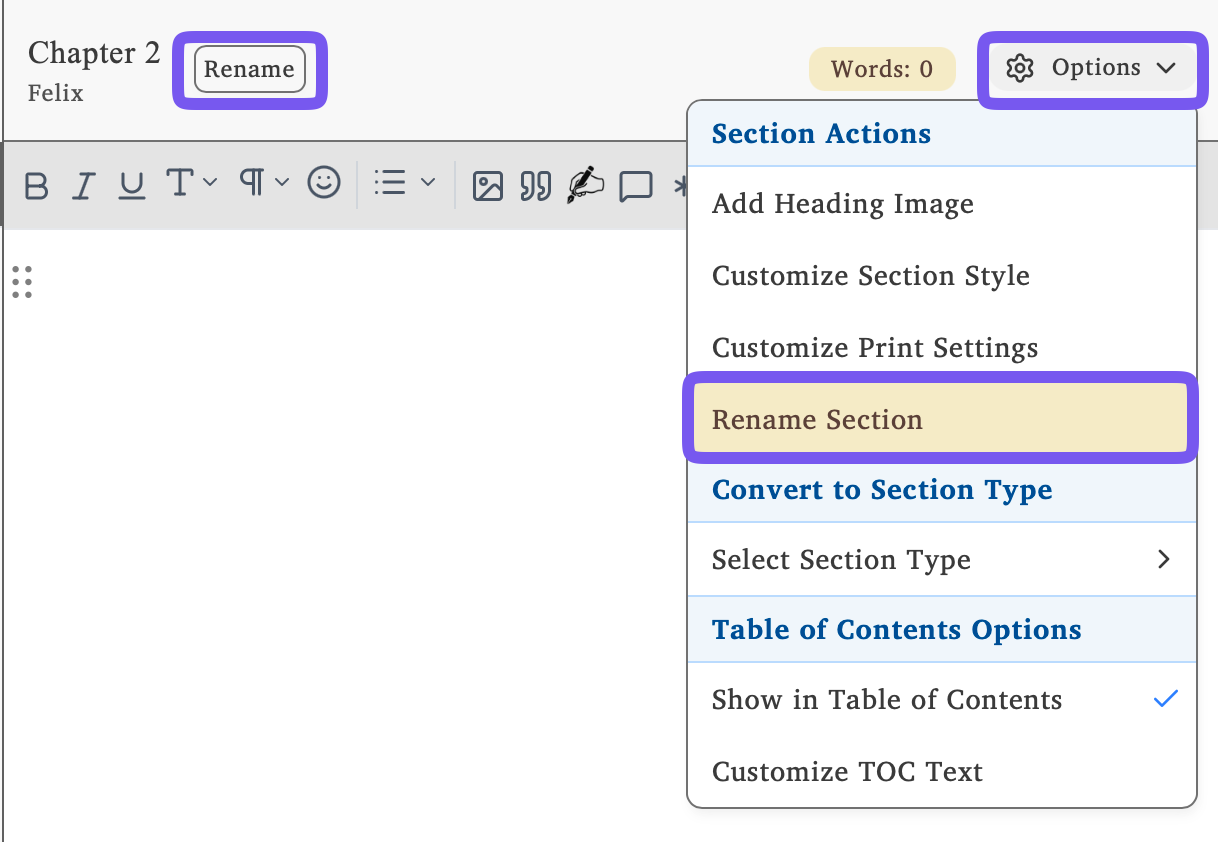
- Click the section options menu or the Rename button at the top of the editor
- Set the title or subtitle and confirm
Chapter Heading Images
Add images that appear consistently across all chapters for visual continuity. Configure heading images in Chapter Heading Images.