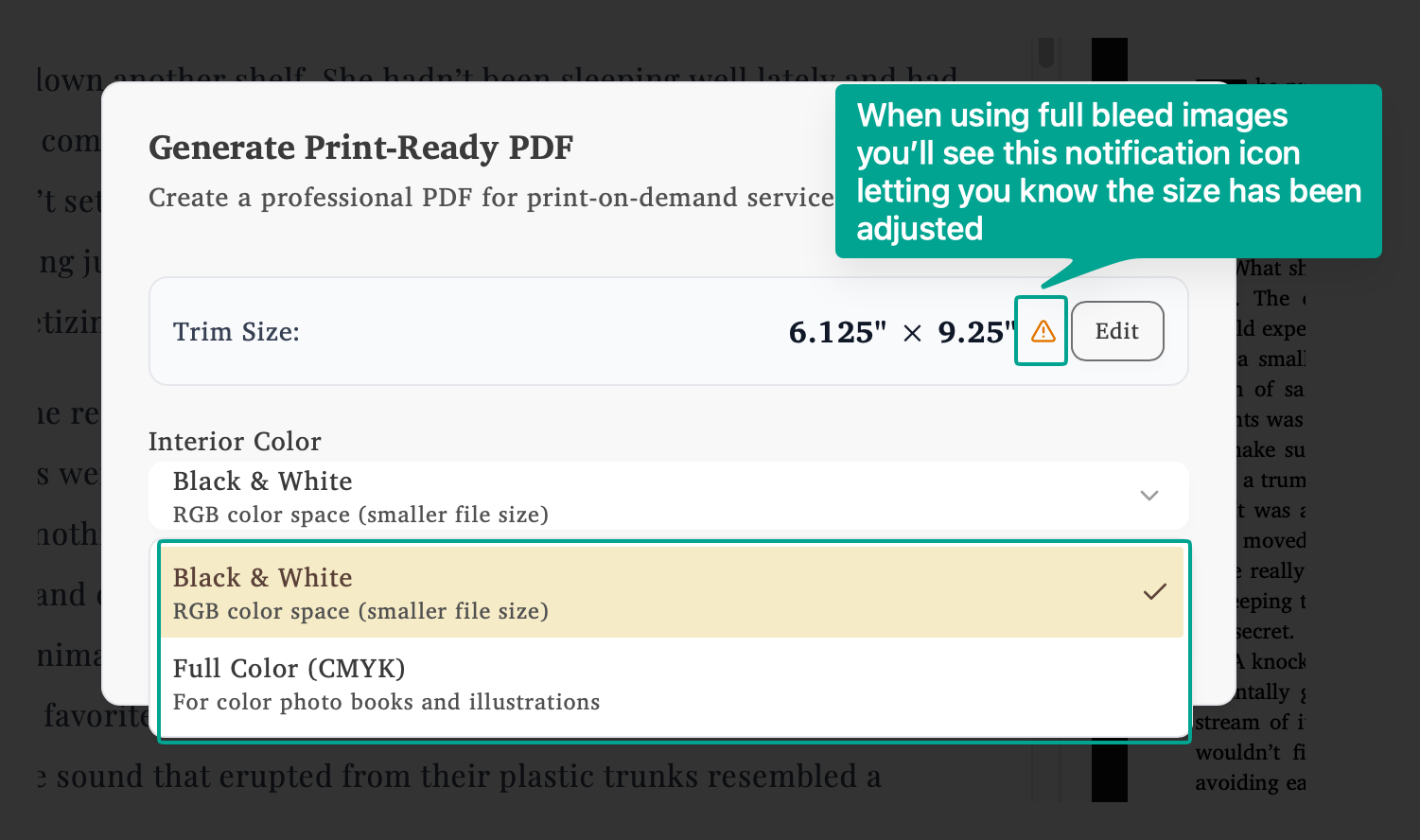
Click Generate and select Generate Print PDF to create your professional print file. For digital ebook distribution, export your book to EPUB (Amazon, Apple Books, Kobo) or export an ebook PDF (reader magnets, direct downloads). Run the self-publishing checklist before any export.
Full Bleed Adjustment Notification
When using full bleed background images, you may see a notification icon next to your trim size. This indicates that your trim size has been automatically adjusted to accommodate bleed requirements. Click Edit to review or modify your print settings.
Interior Color
Choose the color mode for your printed book:
Black & White - Uses RGB color space with smaller file sizes. Ideal for text-only books and novels.
Full Color (CMYK) - Converts all images and colors to CMYK using PDF/X-1a specifications. This ensures compatibility with all major print-on-demand distributors like KDP and IngramSpark. Required for photo books and books with color illustrations.
Pre-Export Validation
Before generating your PDF, Lacuna validates your print settings to ensure compatibility with major print-on-demand services:
Margin verification - Confirms margins meet minimum requirements for KDP and IngramSpark
Trim size compatibility - Validates your chosen dimensions are print-house compatible
Layout verification - Ensures proper page setup and formatting
Preview Before Exporting
Before generating your final PDF, use the Print Preview to verify your book’s appearance, margins, and page layout.
License Required
Get Your License
Print Ready PDF generation requires an active Lacuna license.