Font & Layout Settings
Configure your book’s body typography and page layout conventions.
Body Text Typography
This is where you customize the typography for your book’s body text.
- Font Family — Choose from a variety of fonts. Look for fonts with a green check mark to ensure they have all the font styles needed to render properly in your PDF.
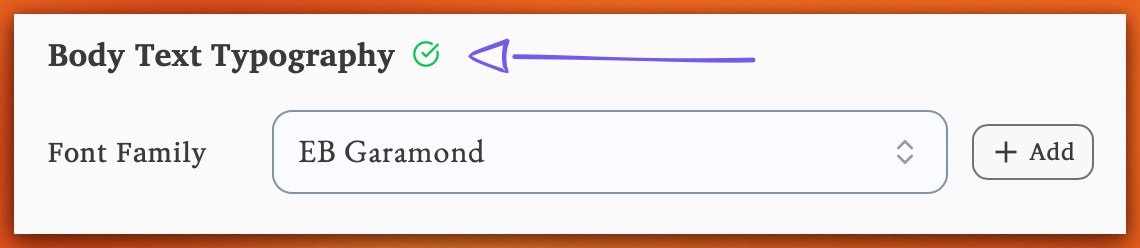
-
Font Size — Adjust the size of your body text.
-
Line Spacing — Control the spacing between lines.
Table of Contents
Generate a table of contents — Include a table of contents page with automatically generated page numbers. Lacuna updates page numbers as your content changes.
Page Numbering
- Start Page 1 on Chapter 1 — Page numbers reset to 1 at the first chapter. Front matter uses Roman numerals (i, ii, iii).
- Show Numbers on Chapter Opening Pages — When off, page numbers are hidden on the first page of each chapter for a cleaner look.
Chapter Layout Rules
-
Start first chapter on right-hand (recto) page — Inserts a blank page if needed so your first chapter begins on the right.
-
Start all chapters on right-hand (recto) page — Inserts blank pages between chapters as needed so every chapter begins on the right.
Pagination Control
Control how paragraph lines are distributed across page breaks.
-
Orphans — The minimum number of lines that must appear at the bottom of a page before a paragraph continues on the next page.
-
Widows — The minimum number of lines that must appear at the top of a page when a paragraph continues from the previous page.
Text Formatting
Configure text alignment and hyphenation for body paragraphs.
-
Justify body text — Align text to both left and right margins for a traditional book look.
-
Enable automatic hyphenation — Allow words to break at the end of lines to improve text flow.
Hyphen Limit — Controls how many consecutive lines can end with hyphens. If you’re seeing too many hyphenated line endings in a row, lower this number.