How to Use Blockquotes
Blockquotes are perfect for quoted text, poetry, letters, and highlighted passages in your book.
How to Create a Blockquote
- Select the text you want to format as a blockquote
- Click the blockquote icon in your editor toolbar
- View your formatted blockquote instantly
Customizing Your Blockquote
When you select a blockquote, the inline style panel appears on the left side of the editor. This panel has two tabs that give you full control over your blockquote’s appearance: Text and Spacing.
Text
- Font — Choose from available typefaces
- Size — Set the font size of your blockquote text
- Line Spacing — Control the space between lines of text
- Alignment — Left, Center, Right, or Justified
Spacing
- Paragraph Spacing — Control the space between paragraphs within your blockquote
- Paragraph Indentation — Indent the first line of each paragraph within your blockquote
- Outer Spacing — Left, Right, Top, and Bottom space around the entire blockquote
Using Presets
You can save and reuse blockquote styles with presets. This makes it easy to apply consistent formatting across all blockquotes in your book.
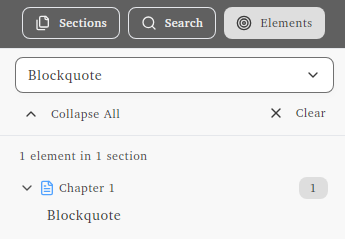
Finding Blockquotes
Use the Elements tab in the section sidebar to find all blockquotes in your book and jump directly to any of them.